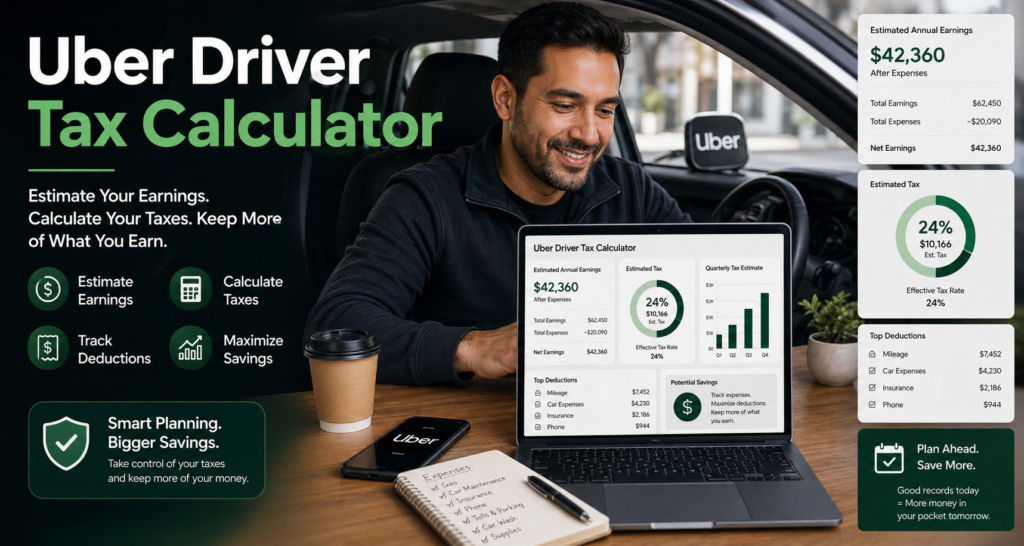
Every Dasher who has been through their first tax season knows the feeling — a bill arrives in April that nobody warned them about. The truth is that a reliable DoorDash tax calculator app changes everything. Rather than guessing what to set aside or panicking when April arrives, the right tool tells you your exact self-employment tax, federal and state bill, mileage deductions, and quarterly payment amounts in seconds. This guide explains exactly how DoorDash taxes are calculated, what the best free tools look like, and how to pay the IRS without stress.
Do You Pay Taxes on DoorDash Earnings?
Yes — and the amount surprises most new Dashers. DoorDash treats every driver as an independent contractor, not an employee. As a result, the platform never withholds federal tax, state tax, or self-employment tax from your weekly earnings. Every dollar lands in your bank account untouched.

However, that does not mean you owe nothing. Quite the opposite — as a self-employed worker you owe more tax than most regular employees because you cover both sides of Social Security and Medicare yourself. In practical terms, your total tax bill as a Dasher includes three layers. First, self-employment tax at 15.3% of your net profit. Second, federal income tax based on your total taxable income after deductions. Third, state income tax depending on where you live. Together these can easily reach 25 to 35% of your net earnings — which is why using a free DoorDash tax calculator app to know your number before it is due makes so much sense.
Does DoorDash Count as Income?
Absolutely — every dollar you earn from DoorDash is taxable income that must be reported to the IRS. If you earn $600 or more from DoorDash in a calendar year, the platform sends you a 1099-NEC form by January 31 of the following year showing your total gross earnings. Even if you earn less than $600, the income is still taxable and must be reported on your annual tax return.
Furthermore, DoorDash income is classified as self-employment income — which means it goes on Schedule C of your federal tax return. On Schedule C you report your gross earnings, subtract your business deductions, and calculate your net profit. That net profit is what your taxes are based on. Fortunately, the right DoorDash tax calculator app handles all of this math automatically so you never have to figure it out manually.
How Is DoorDash Tax Calculated?
Understanding how DoorDash taxes are calculated helps you plan ahead and avoid surprises. The calculation follows five steps that any reliable DoorDash tax calculator app should handle automatically.
Step one is to calculate your gross DoorDash income — everything you received from base pay, tips, and promotions before any expenses.
Step two is to subtract your business deductions. The biggest deduction for most Dashers is mileage. At the 2026 IRS rate of 72.5¢ per mile through June 30 and 76¢ after, every business mile reduces your taxable profit directly. Other deductible costs include your phone bill, hot bags, car accessories, and parking fees paid during deliveries.
Step three is to calculate your net profit — gross income minus all deductions. Self-employment tax applies to this number, not your gross earnings.
Step four is to apply the SE tax rate. The IRS calculates SE tax on 92.35% of your net profit at 15.3%. The 92.35% adjustment is built in automatically to account for the deductible portion of SE tax.
Step five is to calculate federal and state income tax. After subtracting the standard deduction and 50% of your SE tax from your adjusted gross income, the remaining taxable income is taxed at your federal bracket rate. State tax applies on top depending on where you live.
Is DoorDash Worth It After Taxes?
For most Dashers, the answer is yes — but only if you track your deductions properly. Without tracking mileage and other write-offs, the tax bill can feel like it eats up a large portion of your earnings. With proper tracking, however, the picture looks very different.
Consider a Dasher earning $35,000 per year who drives 12,000 business miles and has $500 in other expenses. Their mileage deduction alone comes to $8,400, bringing their taxable net profit down to $26,100. After applying the SE deduction and standard deduction, their total federal tax bill works out to roughly $5,000 to $6,000 — an effective rate of around 15 to 17% of gross income. On the other hand, a Dasher who tracks nothing and claims zero deductions on the same income would owe significantly more. In short, DoorDash is absolutely worth it after taxes — as long as you use a DoorDash tax calculator app and track every mile.
Free DoorDash Tax Calculator App — What to Look For
Not all tax calculator apps are built the same way. A genuinely useful free DoorDash tax calculator app should include several key features to give you an accurate estimate.
First, it should calculate self-employment tax correctly using the 92.35% net earnings adjustment — not just apply 15.3% to your gross income. Second, it should apply the 50% SE tax deduction automatically since this reduces your federal income tax bill. Third, it should cover state income tax for all 50 US states since the rate varies significantly from 0% in Texas and Florida to over 10% in California and New York. Fourth, it should factor in mileage deductions at the current IRS rate of 72.5¢ per mile through June 30 and 76¢ after in 2026. Finally, it should break your total bill into four quarterly payment amounts so you know exactly what to send the IRS on each due date.
Our free tool at FreelancerTaxCalc.com does all of this in under 60 seconds with no sign-up required. Try the free DoorDash tax calculator app on our homepage now.
DoorDash Tax Calculator by State — Does Location Matter?
Yes — your state makes a significant difference to your final tax bill. A DoorDash tax calculator USA tool must account for state income tax since rates vary dramatically across the country.
Dashers in Texas, Florida, Nevada, Washington, Wyoming, South Dakota, and Alaska pay zero state income tax — which means their total bill is lower than Dashers in high-tax states. In contrast, California charges up to 9.3% state income tax, New York up to 10.9%, and Oregon up to 9.9%. For a DoorDash tax calculator Texas calculation, state tax is simply zero — making the overall bill considerably lighter than for a California-based Dasher with the same income.
Our free calculator covers all 50 US states so you get an accurate estimate regardless of where you live. Simply select your state from the dropdown and the correct rate is applied automatically.
How Often Do You Pay Taxes for DoorDash?
Most active Dashers pay taxes four times a year through the IRS quarterly estimated tax system. If you expect to owe $1,000 or more for the full year — which most full-time and part-time Dashers do — the IRS requires quarterly payments rather than one annual payment in April.
The 2026 quarterly due dates for DoorDash drivers are as follows. Q1 covers January through March and is due April 15, 2026. Q2 covers April and May and is due June 16, 2026. Note that Q2 only covers two months — a common source of confusion. Q3 covers June through August and is due September 15, 2026. Q4 covers September through December and is due January 15, 2027.
Missing any of these deadlines results in an IRS underpayment penalty. To avoid this, use a DoorDash tax calculator app to work out your quarterly amount and pay it at pay.irs.gov on each due date. For more detail on how to pay, visit our full guide on how to pay quarterly taxes as a gig worker.
Will DoorDash Take Taxes Out — and How Much Does DoorDash Charge for Taxes?
DoorDash does not take out any taxes from your pay — and it does not charge you any taxes directly either. The platform simply pays your gross earnings into your bank account and sends you a 1099-NEC at year end showing what you earned. Tax calculation and payment is entirely your own responsibility as an independent contractor.
This is fundamentally different from working as a regular employee where your employer withholds federal and state income tax plus half of your payroll tax from every paycheck. As a Dasher, none of that happens automatically. Consequently, the full 15.3% self-employment tax plus your federal and state income tax all land on you at once — which is exactly why setting aside money from every payment is so important. A good starting point is 25 to 30% of every DoorDash payment moved into a separate savings account immediately.
DoorDash Tax Calculator with Deductions — What Can You Write Off?
Using a DoorDash tax calculator with deductions built in is far more accurate than using a basic income calculator. The deductions available to Dashers can reduce taxable income by thousands of dollars per year — and each one is completely legitimate under IRS rules.
Mileage is the largest deduction for most Dashers. At 72.5¢ per mile through June 30 and 76¢ after in 2026, a driver with 10,000 business miles saves $7,000 in taxable income. Your business miles begin the moment you go active on the DoorDash app — not just when you pick up an order. Dead miles between deliveries count too.
Beyond mileage, Dashers can also deduct a portion of their monthly phone bill since the phone is essential for receiving and completing orders. Hot bags, car mounts, phone chargers, and car cleaning supplies used for deliveries are all deductible. Parking fees and tolls paid during work trips are also fully deductible. Additionally, the 50% SE tax deduction is applied automatically — the IRS lets you deduct half of your self-employment tax from your gross income before calculating income tax.
For more detail on allowable deductions visit the IRS Self-Employed Tax Center. To see how your deductions affect your actual bill, try our free gig worker tax calculator on the homepage.
How to Pay Taxes on DoorDash Earnings — Step by Step
Paying taxes on DoorDash earnings involves two parts — quarterly estimated payments throughout the year and your annual tax return in April.
For quarterly payments, go to pay.irs.gov and select Estimated Tax as the payment reason. Choose your tax year and the correct quarter, enter your bank account details, and confirm. The payment is free and processes instantly. Save your confirmation number as proof of payment.
For your annual return, file Schedule C with your Form 1040 by April 15. On Schedule C, report your total DoorDash gross earnings, subtract all your deductions, and calculate your net profit. Your self-employment tax is then calculated on Form SE and added to your total tax bill. Any remaining amount owed after your quarterly payments is due with your annual return.
The easiest way to know how much to pay each quarter is to run your income through our free DoorDash tax calculator once per quarter. That way you always pay the right amount and never face a surprise bill. You can also read our full guide on self-employment tax for more detail.
Frequently Asked Questions — DoorDash Tax Calculator App
When do DoorDash taxes come out?
DoorDash taxes are due four times a year on April 15, June 16, September 15, and January 15. Your annual return is due by April 15 of the following year.
How much taxes will I pay for DoorDash?
Most Dashers pay between 20 and 30% of their net profit in total federal and state taxes depending on their state, filing status, and deductions tracked. Use our free calculator to get your exact number.
Does DoorDash calculate taxes for me?
No — DoorDash does not calculate or withhold any taxes. The platform sends a 1099-NEC showing your gross earnings but leaves all tax calculation to you.
How do I calculate taxes for DoorDash?
The fastest way is to use a free DoorDash tax calculator app like the one at FreelancerTaxCalc.com. Enter your annual earnings, business miles, other expenses, state, and filing status — and get your full breakdown in under 60 seconds.
How does DoorDash get taxed differently from a regular job?
As a Dasher you pay self-employment tax at 15.3% on top of regular income tax. Regular employees only pay 7.65% because their employer covers the other half. This is the main reason Dashers owe more than they expect.